
Open flights directly from your browser
Install the Vulture browser extension for Safari or Chrome to open competition flights from Soaring Spot and Charron.line with a single tap.

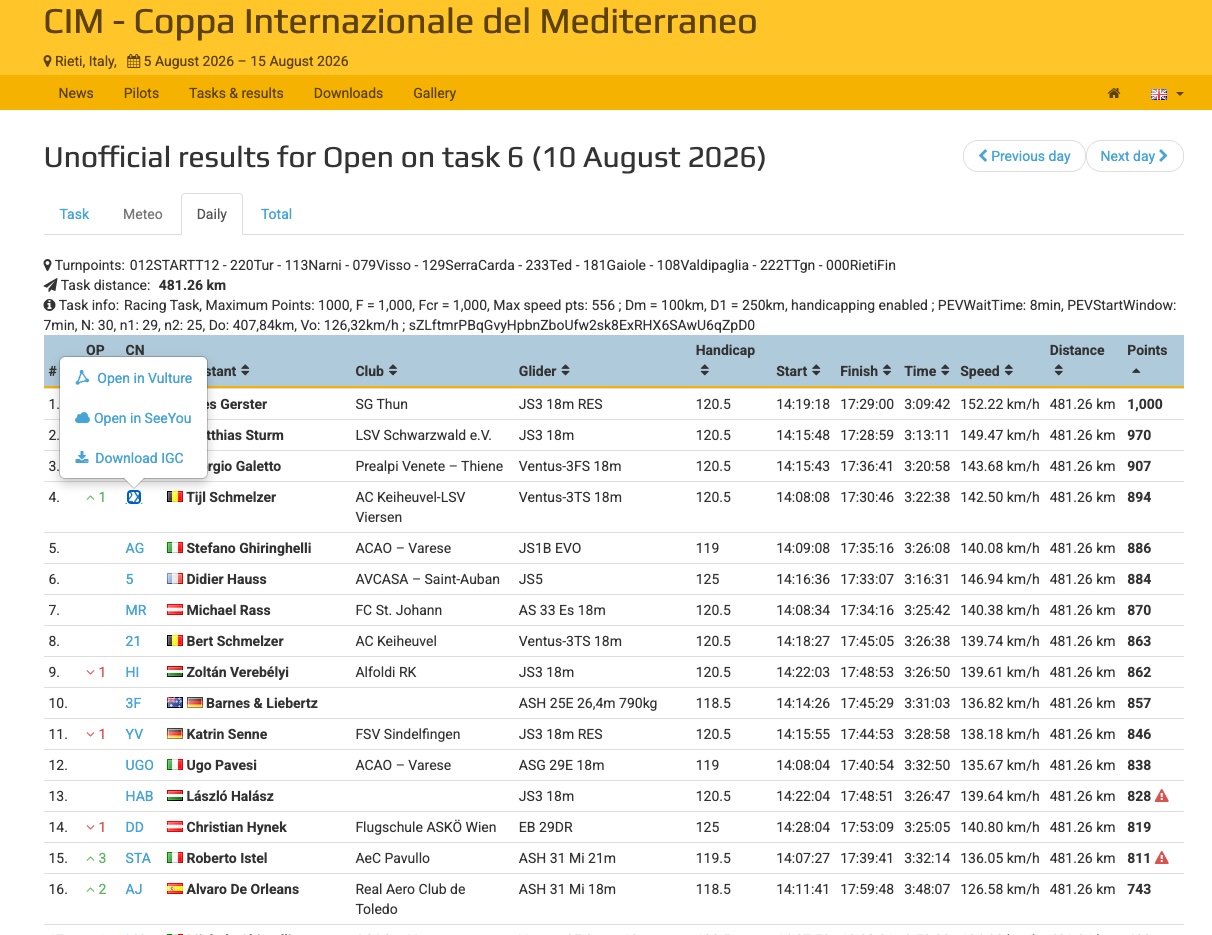
When you're browsing competition results online, the last thing you want is to manually copy flight data into another app. The Vulture browser extension adds Open in Vulture buttons directly into Soaring Spot and Charron.line pages, so you can jump straight from results to analysis.
Safari extension on iPhone and iPad
The Safari extension is bundled with the Vulture app, so there's no separate download. To enable it:
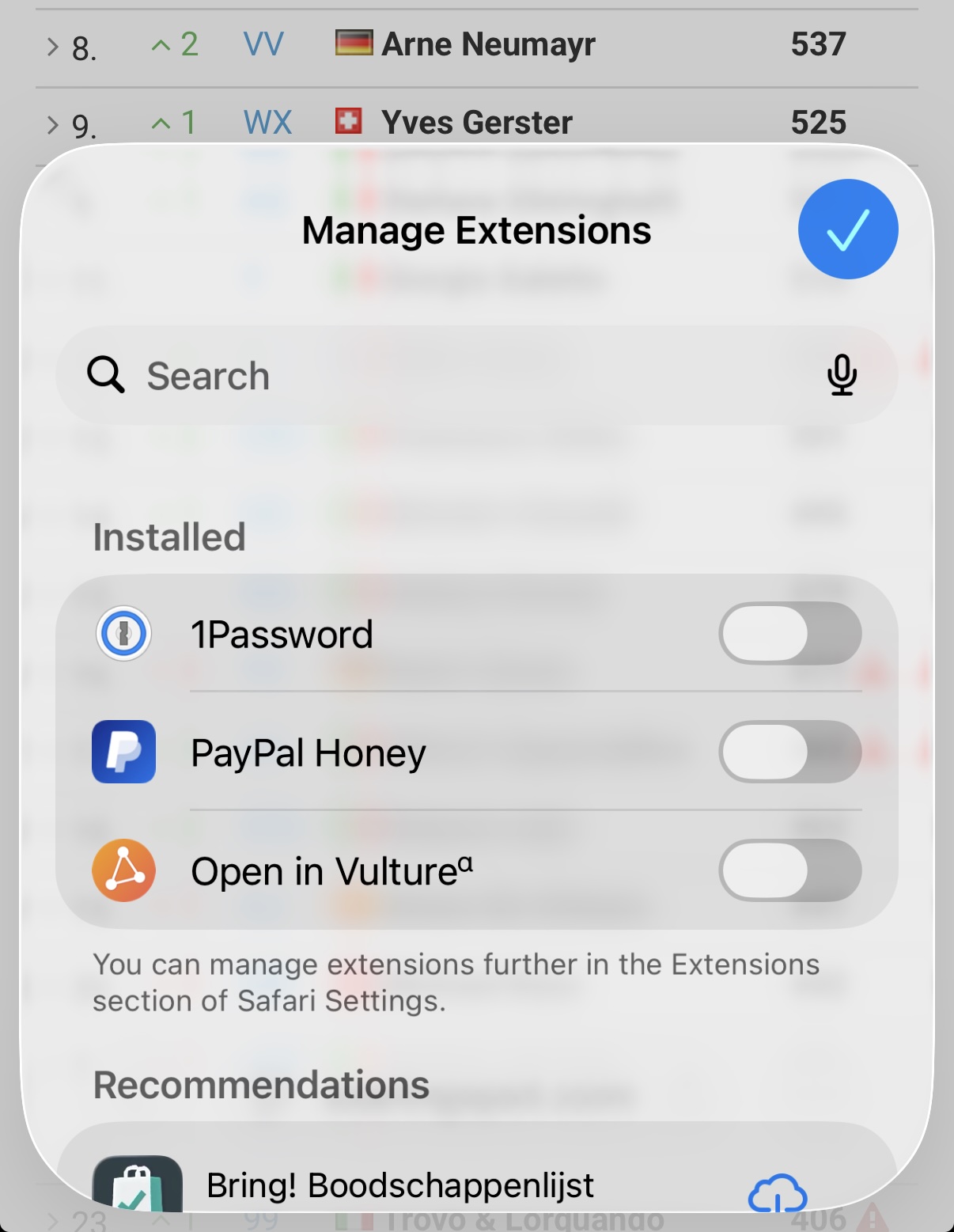
- Open Settings on your iPhone or iPad
- Scroll down and tap Safari
- Tap Extensions
- Find Vulture and toggle it on
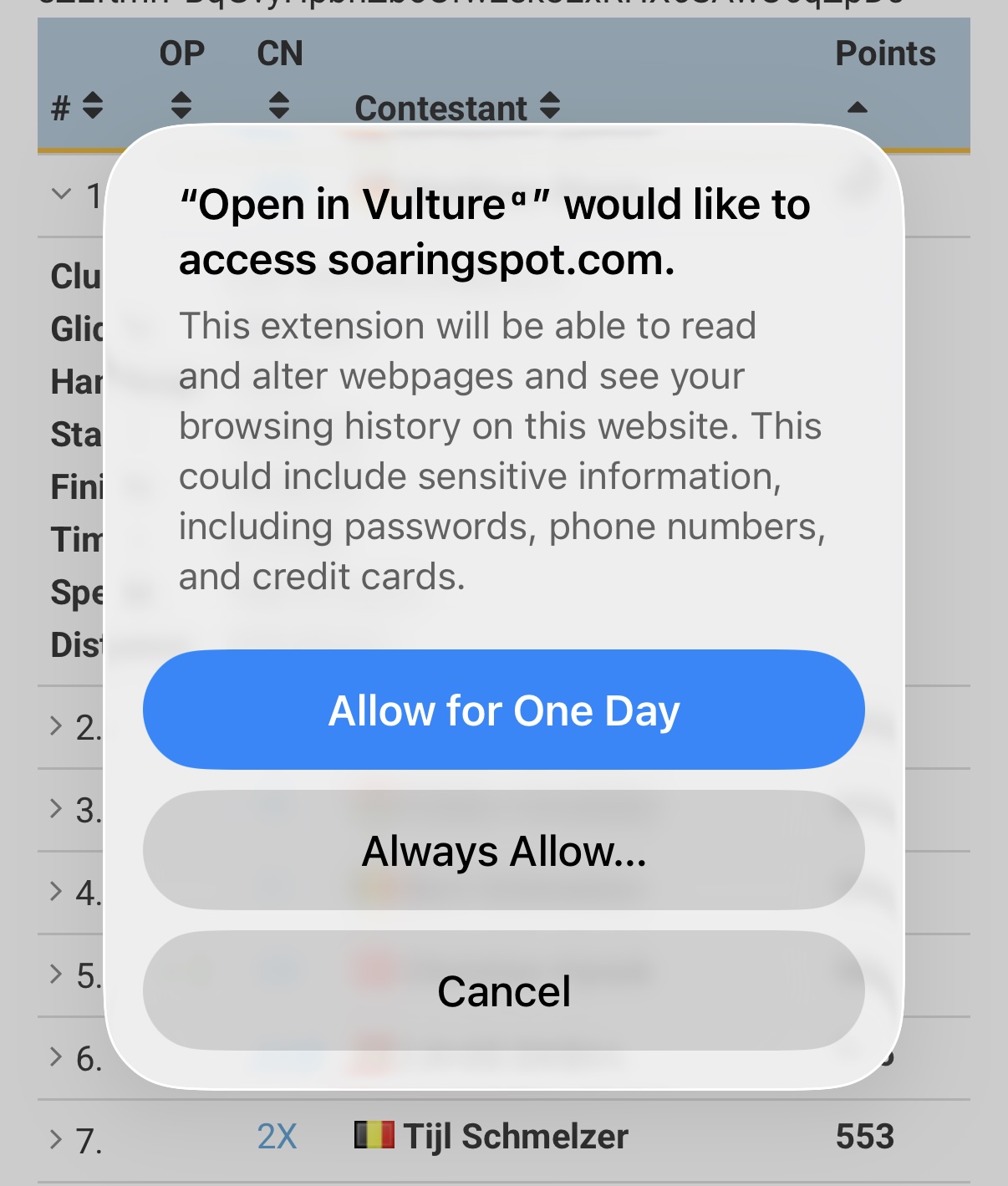
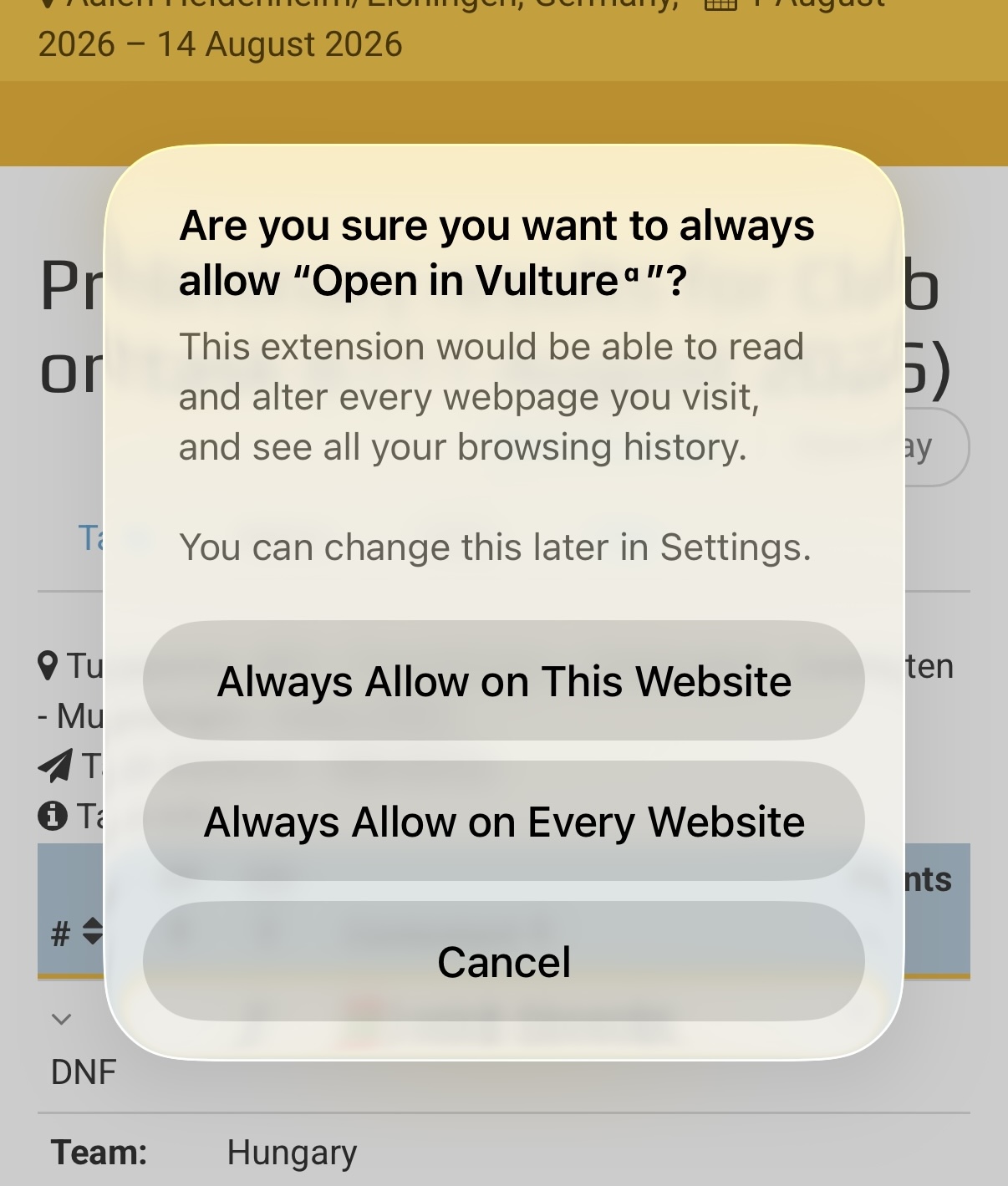
After enabling the extension, Safari will ask for permission to let Vulture read the content of the pages you visit. This is required for the extension to detect flight data on supported websites and inject the Open in Vulture buttons. You can choose to allow this for all websites or only for specific ones like soaringspot.com and charronline.be.
Once enabled, visit any Soaring Spot results page in Safari. You'll see an Open in Vulture button appear at the bottom of the page. Tap it, and the flight opens directly in the app with the competition task already applied.
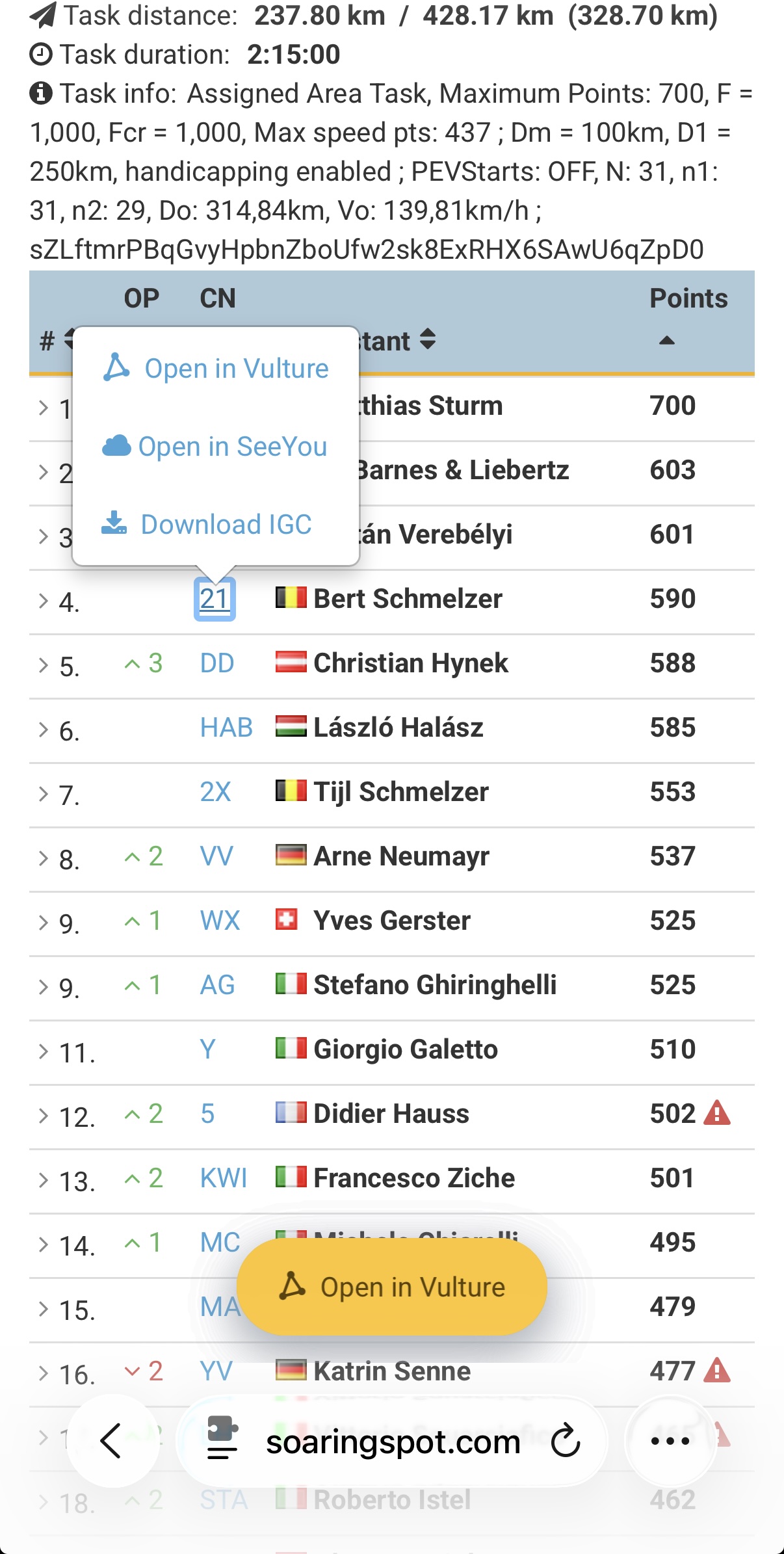
The extension works on daily results, total scores, and task pages, as well as Charron.line flight pages.
Safari extension on Mac
On macOS, the extension is also included with the Vulture app. To enable it:
- Open Safari
- Go to Safari → Settings (or Preferences)
- Click the Extensions tab
- Check the box next to Vulture
Just like on iOS, Safari will ask for permission to read page content on supported websites. The same Open in Vulture buttons will appear, and clicking them opens the flight in Vulture on your Mac.
Chrome extension on macOS
The Chrome extension is available for free on the Chrome Web Store. After installing, it works the same way. Open in Vulture buttons appear automatically on Soaring Spot and Charron.line pages, and you can open both flights and tasks directly in the app.
Note: The Chrome extension is only available on macOS. On iPhone and iPad, use the Safari extension instead.
Supported websites
Both extensions work on the same set of pages:
- Soaring Spot: daily results, total scores, and task pages
- Charron.line: flight result pages on charronline.be
The extension does not collect, store, or transmit any personal data. All it does is read the page you're already looking at — the address for the day or task link, and the flight identifiers already sitting in the results table for the per-flight links — and turn them into links that open the Vulture app. Nothing is sent anywhere.
When you tap Open in Vulture on a competition page, the flight downloads with the task automatically applied, ready for replay and analysis.
Happy browsing, and blue skies!